




















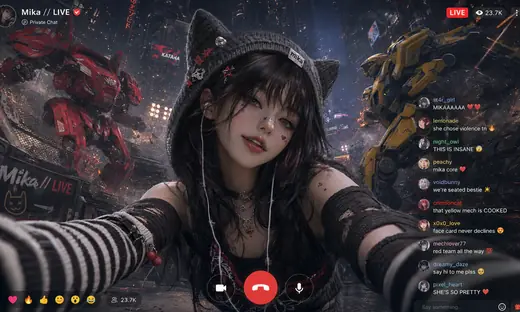



Kling 4.0 Flash: Text to Video
Text to Video with Kling 4.0 Flash, with the model already selected.

A soft ambient synth pad tone playing over subtle, quiet outdoor background atmosphere.
How it works
Try it now- 01
Say what you want
A sentence or two is enough.
- 02
Use Kling 4.0 Flash
Choose the settings that fit what you want to make.
- 03
Make it
Start creating, then keep working with HowWorks.
Explore the possibilities
Kling 4.0 Flash at a glance
- Good at
- Native audiovisual clips up to 20s, motion references and editing. 720p.
- Modes
- Text to Video, Image to Video, Reference to Video, Edit Video
- Length
- 3–20 s (presets 5, 10, 15, 20 s)
- Resolution
- 720p
- Aspect ratios
- 21:9, 16:9, 9:16, 1:1, 4:3, 3:4
- Image-led framing
- May follow the input image; check the output frame
- Sound
- Always on
- Reference images
- Up to 10
About
Describe a shot rather than an entire film: setting, subject, action and camera movement. A slow move through a snowy street needs a different brief from a little boat drifting on a pond. Keep the action readable within the selected duration and watch the whole result, including the sound and final frames. Kling 4.0 Flash does not accept middle or end frames. Use a starting picture or the compatible reference and editing operations.
Questions
How should I prompt Kling 4.0 Flash for a video?
Describe a clear subject, one main action and a camera movement that suits the shot. Include sound direction where supported. A short, coherent scene is easier to review than several unrelated events in one request.
What is different about Kling 4.0 Flash in HowWorks?
Flash offers 720p output with text, a starting picture, references or a clip to edit. It does not expose end-frame or middle-frame positions. Use Kling 4.0 when you need those frame controls or its 1080p option.
How should I direct sound for a new Flash shot?
Describe the intended ambience or speech along with the visual action, then listen to the result. A silent written brief is not a guarantee of a silent soundtrack; this integration generates sound for new clips.


