



Seedance 2.5 Image to Video
Begin with a picture. Let one moment develop around it.


He knew this door led downstairs. He opened it and died below. Footage shows him leave a safety marker, then curve towards the stairwell without visibly turning. Tracking was normal. The new build promised to steer him to safety. Why did it steer him here?
How it works
Try it now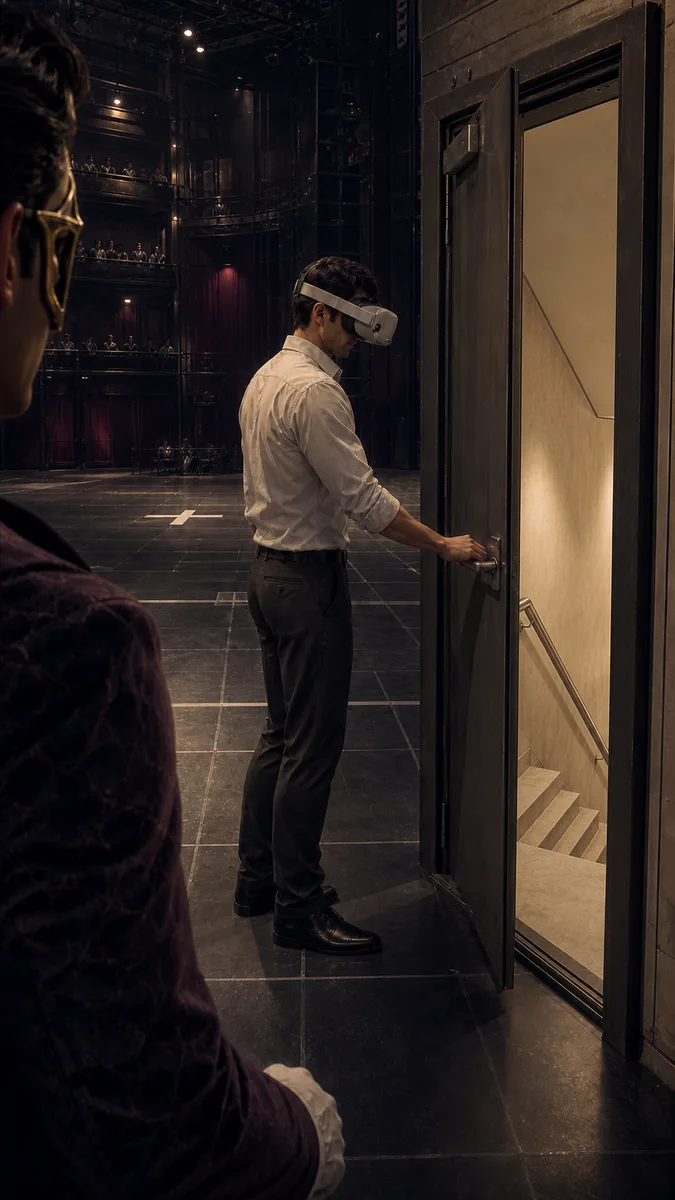 01
01Add your start frame
Drop it in, or pick one of yours.
- 02
Say how it should move
A sentence or two is enough.
- 03
Make it
Start creating, then keep working with HowWorks.
Explore the possibilities
Seedance 2.5 at a glance
- Good at
- One continuous take up to 30s, up to 30 reference images to lock characters. Slowest.
- Modes
- Text to Video, Image to Video, First & Last Frame, Reference to Video
- Length
- 4–30 s (presets 5, 10, 15, 30 s)
- Resolution
- 480p, 720p, 1080p
- Aspect ratios
- 16:9, 9:16, 1:1, 4:3, 3:4, 21:9
- Image-led framing
- May follow the input image; check the output frame
- Sound
- On by default, can be switched off
- Reference images
- Up to 30
About
Use an artwork or photograph as the beginning of a longer visual moment. Seedance 2.5 image to video starts from your supplied image and supports 4–30-second clips, with output through 1080p. A still may need only a small change: clouds moving across a landscape, a hand reaching for an object or a camera revealing more of a room. Describe that development instead of repeating every visible detail. Choose whether the shot needs generated sound, then inspect the subject throughout the clip, particularly when a longer shot gives it more time to change.
Questions
How does Seedance 2.5 use my start image?
The image supplies the opening frame. Prepare it for your intended frame and check any available aspect setting. Framing can vary with the generation setup, so inspect the output crop as well as the movement described in your prompt.
Can I make a 30-second image-to-video clip?
The model supports 4–30 seconds. Use a length suited to the action and inspect continuity across the full clip. A supplied opening image does not keep every later detail fixed automatically.
Which output resolutions are supported?
The current configuration offers 480p, 720p and 1080p. Resolution is separate from duration; a longer clip does not add a higher-resolution option.
What should my motion prompt say?
Name what moves, how fast it moves and whether the camera moves with it. For quiet artwork, describe a fixed camera and one environmental change. For a reveal, define a deliberate camera path.
Can I supply an ending image too?
Choose Seedance 2.5 First & Last Frame for two required endpoints. This workflow requires a start frame; a reference image and an end frame have different roles.
Keep exploring
 ModelSeedance 2.5
4–30 s · 1080p · Sound
 FeatureImage to Video
Start with your image
- Model featureSeedance 2.5 First & Last Frame
4–30 s · 1080p · Sound
 ModelMiniMax H3
5–15 s · 4K · Sound
 ModelMiniMax H3 Max
5–15 s · 1080p · Sound
 ModelSeedance 2.0
4–15 s · 4K · Sound
 Use caseAI Animation Generator
Make an animated scene
 Use caseAI TikTok Video Generator
Plan a vertical short