

Compare AI tools, decode hot projects, find alternatives, plan a migration — without reading source code yourself. Your AI research team actually opens the GitHub repo, in 60 seconds, in plain English.
LangChain vs LlamaIndex? Supabase vs Firebase? Cursor vs Claude Code? For open-source we read the actual source. For closed-source we research the public docs, GitHub issues, and SDK code. Either way: a code-level comparison, not summarized marketing.
"What is MCP?" "How does Manus actually work?" Skip the 50-page README. We turn the source of any open-source project — or the public surface of a closed one — into a plain-English wiki you can read in 5 minutes.
Want to build an AI agent, MCP server, RAG system, or chatbot? We read 5+ working open-source implementations and extract the patterns that actually ship — with reference code you can copy.
JavaScript to TypeScript? Express to Fastify? MongoDB to Postgres? Monolith to microservices? We read your codebase and write the migration plan step by step — including the first PRs ready to merge.
Just joined a team with a 200K-LOC repo no one explains? We turn any unfamiliar codebase into a navigable wiki — module map, hot paths, architecture diagram. Onboard in a day, not a week.
Compare two tools, explain a project, plan a migration, onboard to a codebase — tell us the situation in your own words.
Open the GitHub repos, read the source, dig into docs and issues — the way a senior engineer would research, but compressed into seconds.
Continue the chat to investigate further — or request a comprehensive research report. Either way, grounded in what the code actually does, right now.
Unlike ChatGPT (summaries), DeepWiki (static), or Cursor (IDE-only).
We investigate the actual code in real-time — every question, every time.
The difference between a plausible answer and an accurate one.
Stop building from scratch. HowWorks helps you find, understand, and reuse the world's best open-source projects—whether you're writing a PRD or vibe-coding your next app.
Search our vast index to validate your app ideas or discover perfect templates. Why write code when someone has already built the architecture you need?
Learn more
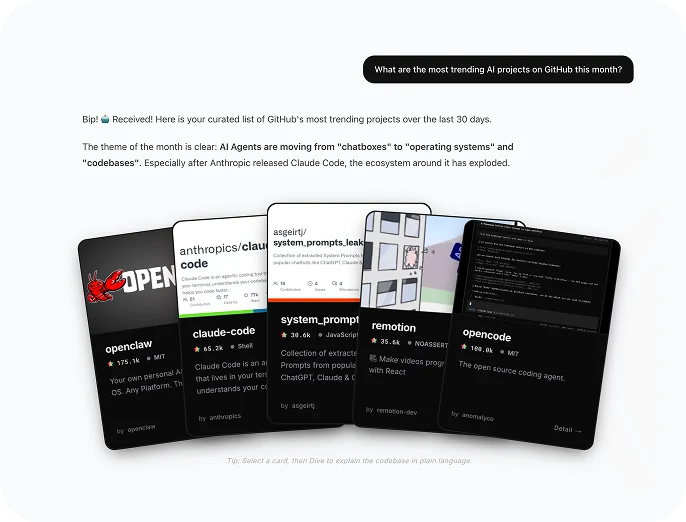
Instantly translate complex repositories into plain-language documentation. Perfect for generating tech specs, PRDs, and architecture diagrams without an engineering background.
Learn more
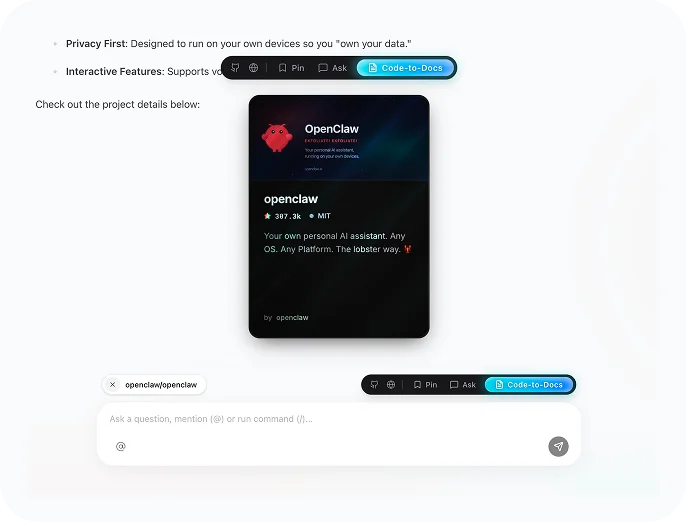
Dive deep into how top AI apps are built. Extract core implementation logic and directly reuse proven architectures to accelerate your vibe coding workflow.
Learn more
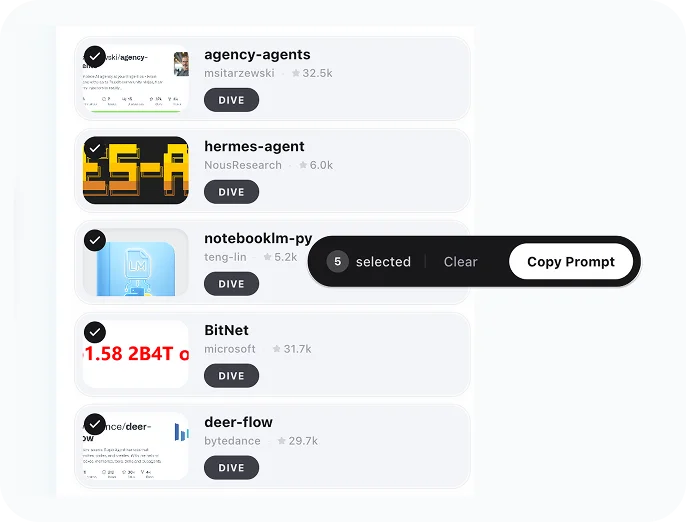
Ask AI about any project, or read expert breakdowns of trending repos — architecture, tech stack, and key decisions, all in plain language.
Find open-source alternatives, discover what's trending, or explore any topic — just ask.
Your own personal AI assistant. Any OS. Any Platform. The lobster way. 🦞

"🐈 nanobot: The Ultra-Lightweight OpenClaw"
Bash is all you need - A nano Claude Code–like agent, built from 0 to 1
Architecture, tech stack, and key decisions — broken down for PMs, founders, and builders.
AI Code Research is HowWorks's focused code research solution that opens GitHub repos in real-time and gives you an engineer's answer about any code. Use it to compare AI tools, decode hot AI projects, find open-source alternatives, plan code migrations, or onboard to inherited codebases — all in plain English, in roughly 60 seconds. It's an AI engineer who reads the actual source so you don't have to.
AI Code Research works in three steps. First, you describe what you need to know in plain English — compare two tools, explain a project, plan a migration. Second, the agent investigates the actual code in real-time: opening the GitHub repos, reading the source, digging into docs and issues like a senior engineer would. Third, you get an accurate, structured answer — and can either continue the chat to dig deeper or request a comprehensive Deep Dive Report.
General chatbots like ChatGPT and Claude answer from training data and summarized blog posts — fine for lookups, but the data is months old and never grounded in the live repo. AI Code Research investigates the real source code on every question, every time. The difference is between a plausible answer and an accurate one — when the agent says "the framework uses X for Y," it's because it just opened the repo and confirmed.
DeepWiki generates a static repo wiki once, often months ago, for a fixed set of popular repos. Useful, but stale by the time you read it. AI Code Research is on-demand: any public repo, any question, fresh investigation against the latest commit. You can keep asking follow-ups in the same investigation, drill into a specific module, or pivot from "how does it work" to "how do I migrate to it." Treat it as a DeepWiki alternative that doubles as a code wiki, code map, and architecture explainer — all on demand.
Cursor, GitHub Copilot, and Windsurf are great inside an IDE while you're writing code — they autocomplete, refactor, and ship features in your editor. AI Code Research is for the questions around writing code: which tool should I pick, how does this project work, what already exists that I can copy, how should I migrate, how does this open-source library handle X. It runs on the web, on any repo, without you opening an editor.
Yes — comparing AI tools and libraries is one of the core use cases. Ask things like "Cursor vs Claude Code," "LangChain vs LlamaIndex," or "Supabase vs Firebase" and the agent reads the actual implementations (or, for closed-source tools, public docs, GitHub issues, and SDK code) and gives you a code-level comparison: architecture, capabilities, edge cases, and where each option wins. Not summarized marketing — the kind of comparison an engineer would write after reading both.
Yes. Hot AI projects like MCP (Model Context Protocol), Manus, Claude Code, AutoGPT, and dozens of others get explained on demand. Skip the 50-page README — the agent opens the source, reads representative files, reasons across modules, and produces a plain-English wiki you can read in 5 minutes. It works on any open-source project, and for closed-source tools the agent researches the public surface (docs, issues, SDK) instead.
Yes — and in a different way than most "how to build" tutorials. The agent reads 5+ working open-source implementations of what you're building (AI agents, MCP servers, RAG systems, chatbots, AI voice agents) and extracts the patterns that actually ship to production. You get reference code you can copy, design trade-offs explained, and the gotchas the README didn't mention — sourced from real repos, not generic blog posts.
Yes. Point it at your codebase and describe the target — JavaScript to TypeScript, Express to Fastify, MongoDB to Postgres, monolith to microservices, Angular to React, or general legacy modernization. The agent reads the existing source, identifies migration risks, writes a step-by-step plan, and can even draft the first PRs ready to merge. Faster than weeks of manual planning, more accurate than a generic checklist, and grounded in your code rather than a textbook example.
Yes — you can start for free with no credit card required, and free credits are included at signup so you can run real research jobs immediately. Heavier deliverables (full Deep Dive Reports, multi-repo comparisons, end-to-end migration plans) consume more credits, and paid plans are available if you want higher monthly limits or team seats.
More focused HowWorks solutions, same assistant context. Each one is sharper at the domain it was built for.
Deep Research AI on demand. Industry reports, market analysis, competitive teardowns, and AI news — structured deliverables, not chat transcripts.
SEO plus Generative Engine Optimization for the AI search era. Audit, optimize, and track how Google, ChatGPT, Perplexity, and AI Overviews represent your brand.
Join the beta and get 100 free credits to explore apps, ask your assistant, and run focused solutions. No credit card required.